Know the road ahead.
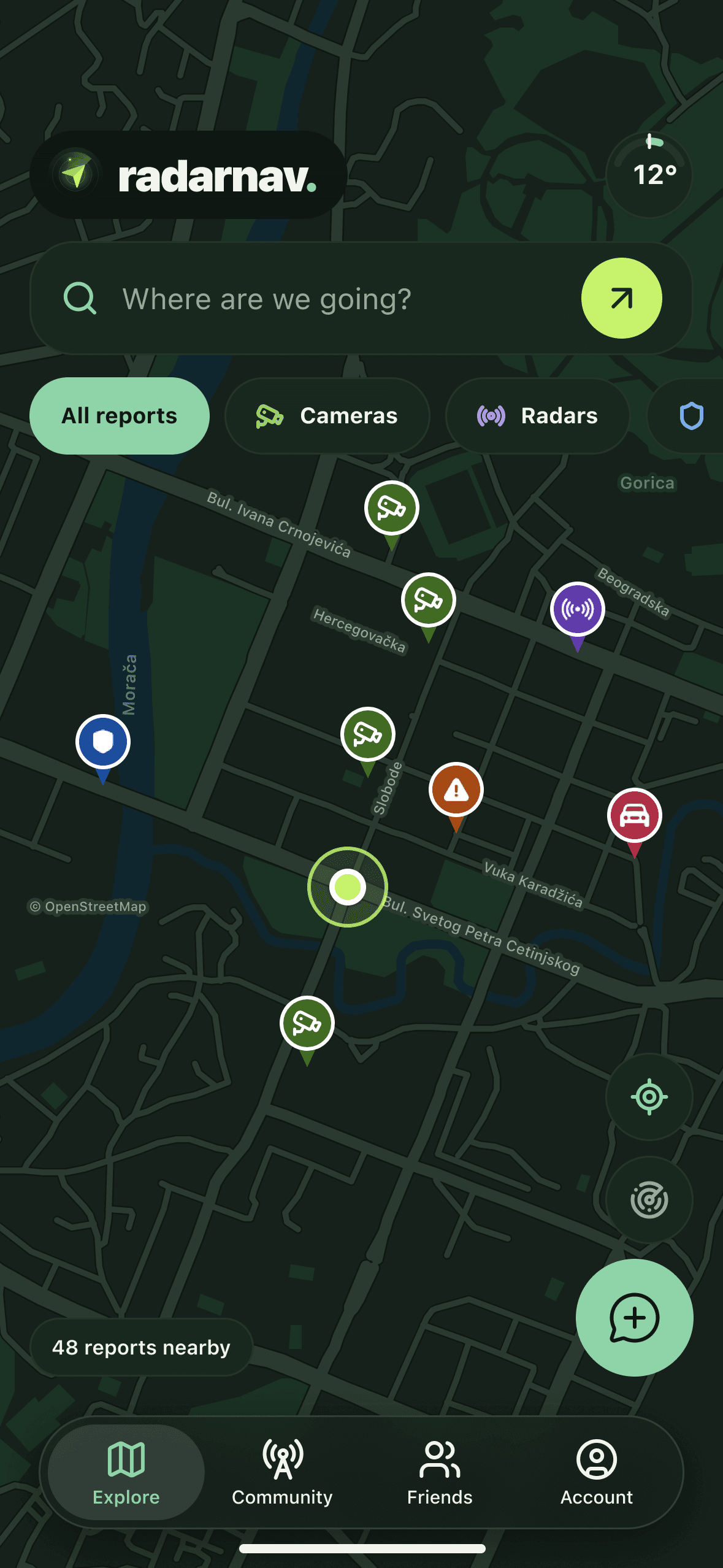
A map of what the drivers ahead of you have just reported, navigation that warns you about cameras, police and hazards before you reach them, and your friends on the same map when you drive together.
- Free map and drive alerts
- No sign-up to browse
- No ads
- Eleven languages
A little heads-up.
One map, one route, and a feed of what the drivers ahead of you have just seen.
The road ahead, on one map
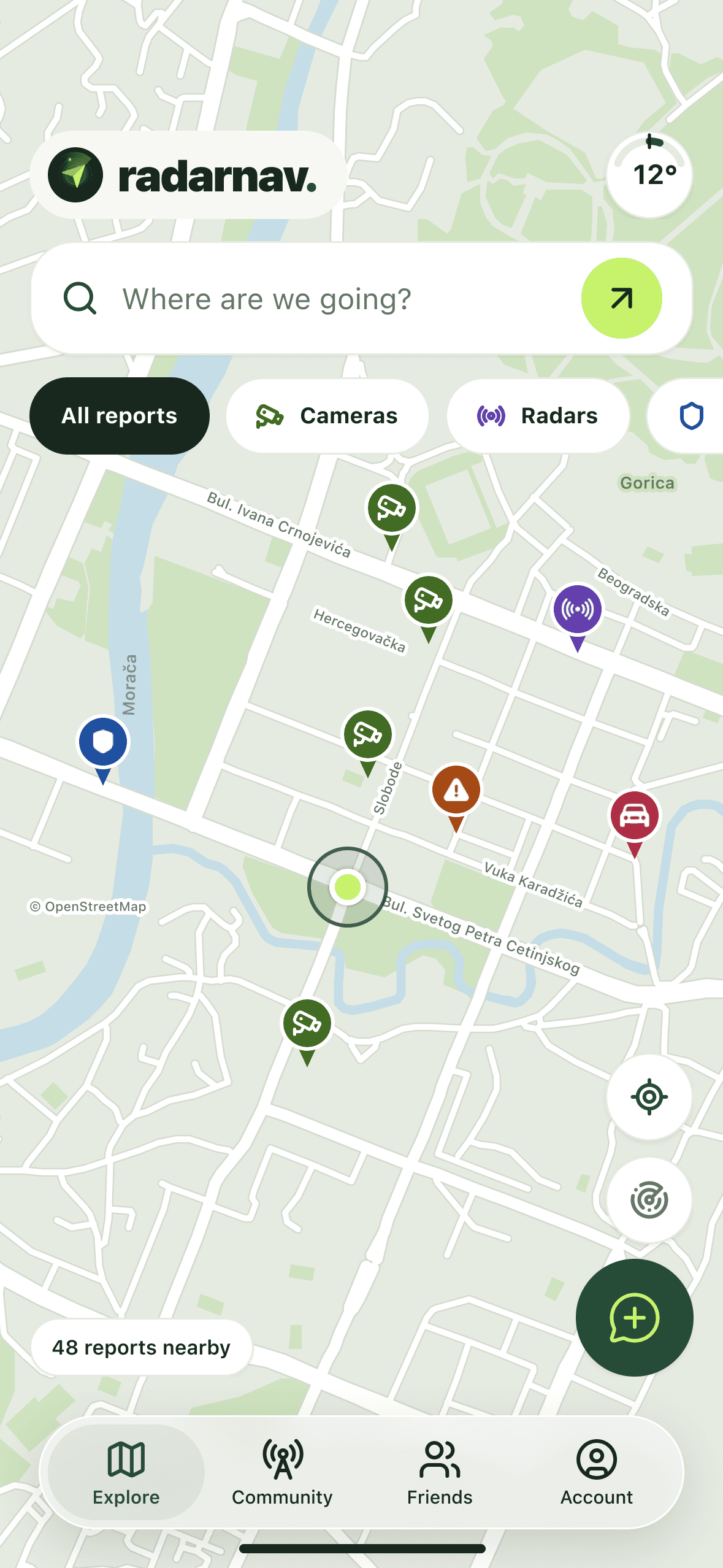
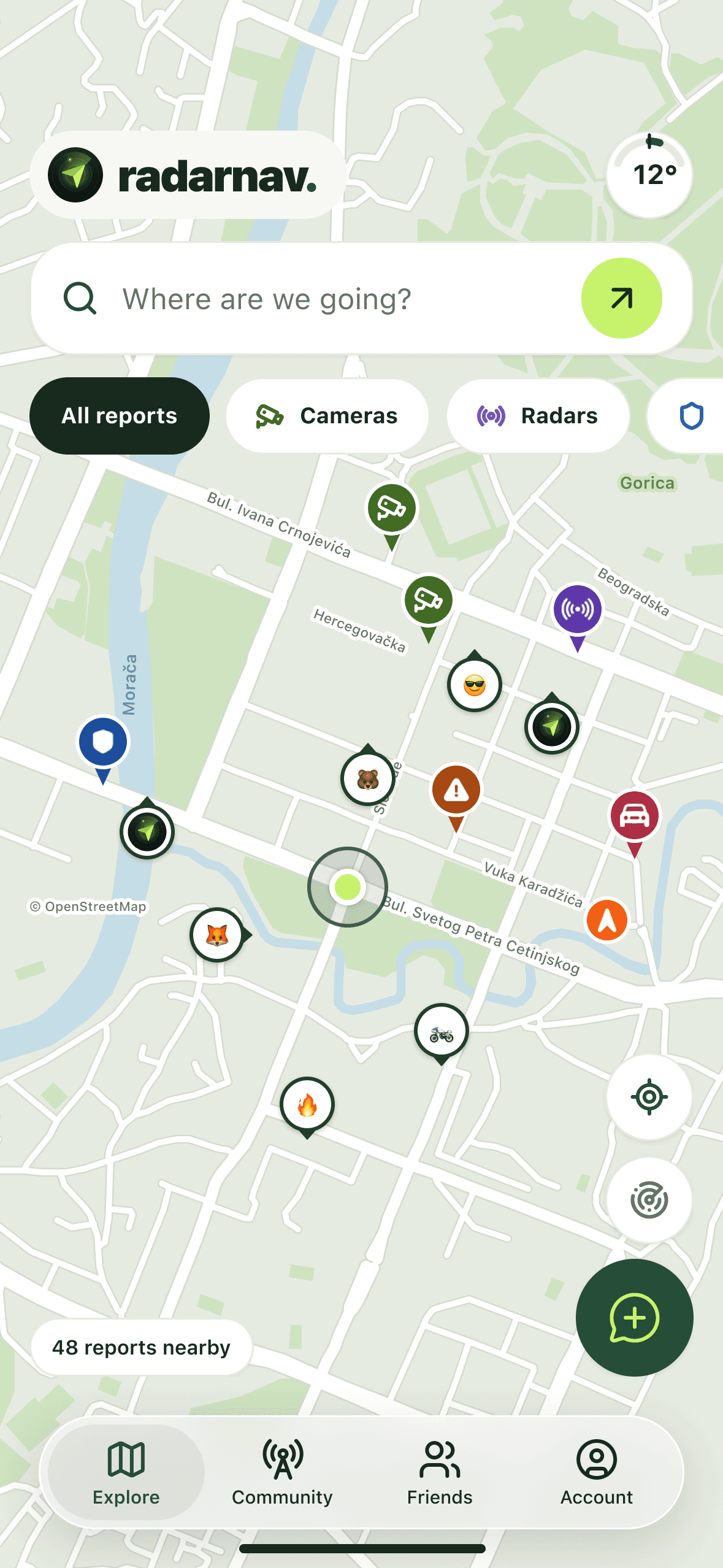
Community reports and published fixed-camera locations, nearest first. Filter by what you care about and tap any point to see the detail.
Your friends, on the same map
Add friends by username or name and see where they are while they drive, in a colour of your choosing and with their speed. Everyone else stays anonymous: the RadarNav logo, or the emoji they picked.
Guidance that speaks up
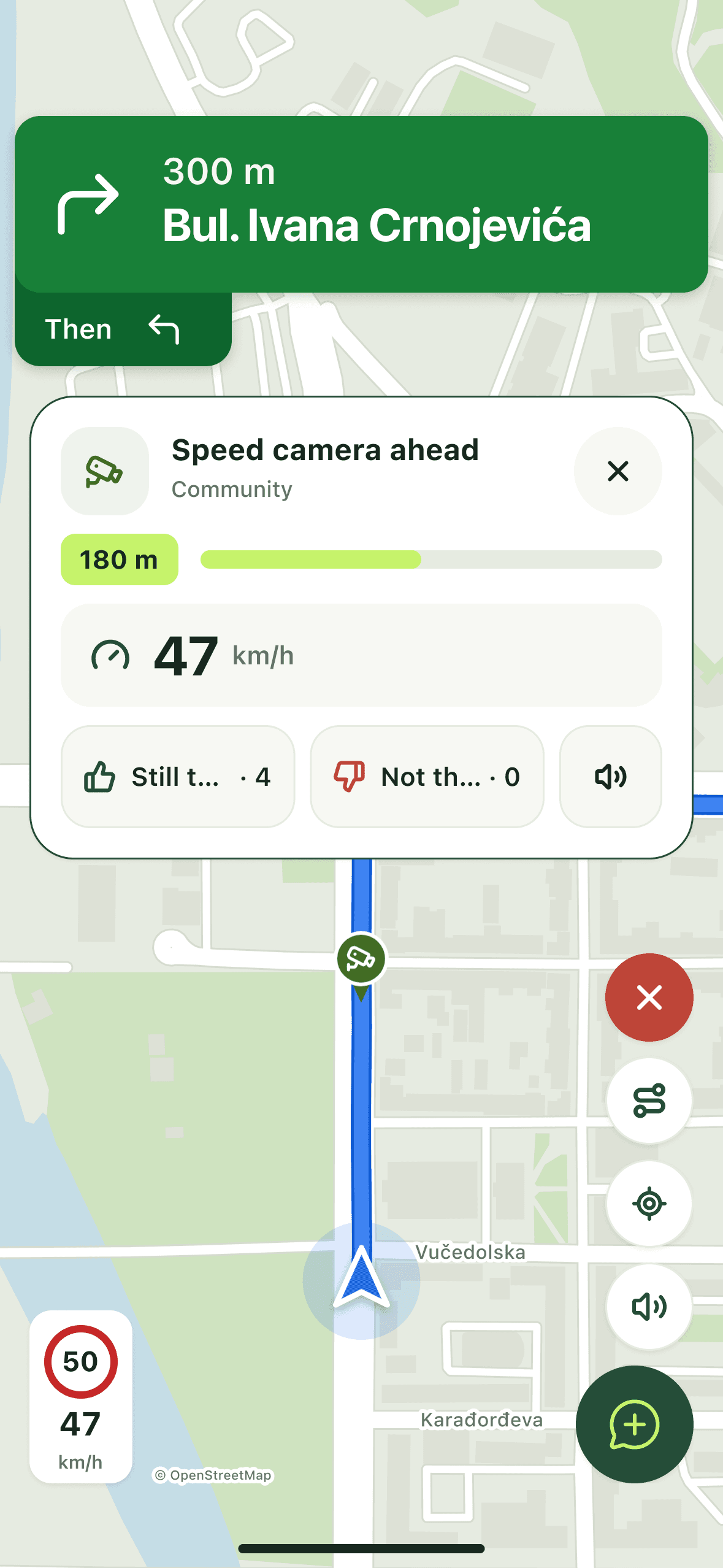
Preview a route, then drive it with voice guidance and a warning for whatever is waiting along it. Navigation is the one part of RadarNav that takes a subscription, on iPhone and Android.
On CarPlay and Android Auto
The map, alerts and reporting on your car's own screen, free just like on the phone. Alerts speak through the car, with Hide and Mute buttons, and with a subscription turn-by-turn guidance is waiting for you there too.
Alerts without a destination
Drive alerts start by themselves and watch the road ahead on your normal commute, and a switch in Settings turns them off. They keep going when you lock the phone, with a card on the Lock Screen and in the Dynamic Island on iPhone, and stop when you park. Stopped or crawling, the map turns with the phone, so it always faces the way you do.
Your speed, next to the limit
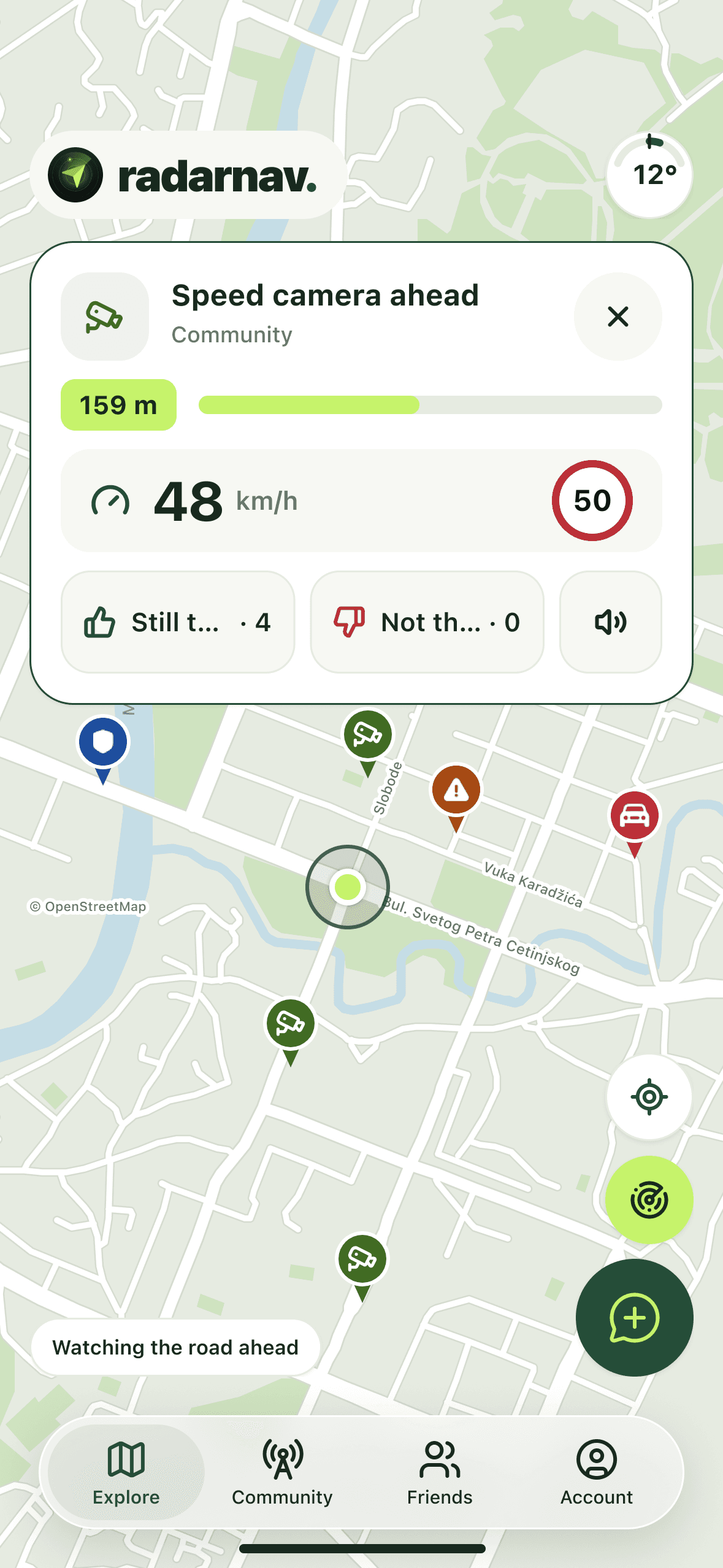
From 15 km/h your speed stays on screen, and sits beside the posted limit when a camera comes up, so you see the gap before it does. A switch in Settings hides it from the map.
Reporting takes two taps
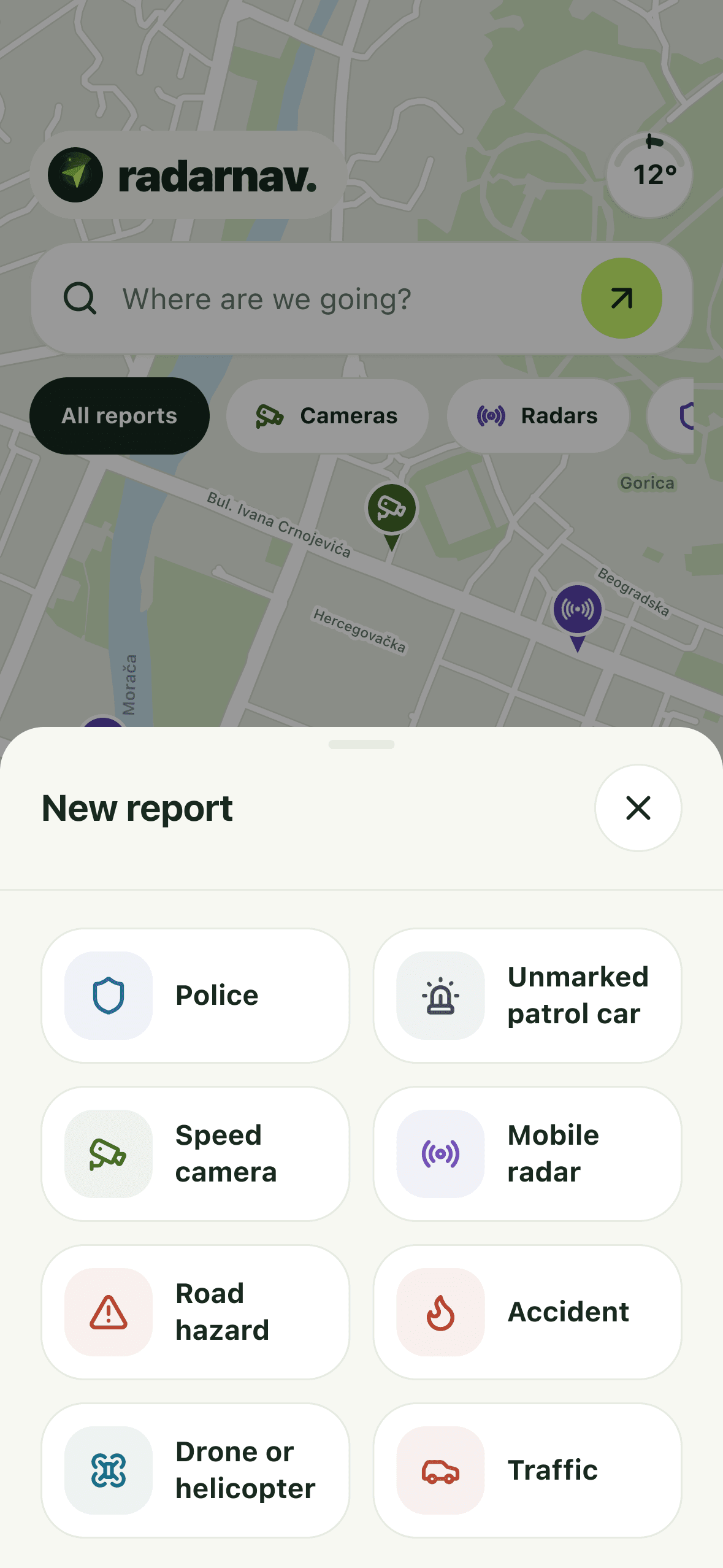
Tap a type and it is published at your position, or move the pin first. The road name fills itself in from the map. Mark a spot by hand near you, or anywhere with location off. For anything that checks speed, the known limit is filled in, and any driver can add or correct it by tapping the sign they read.
Made for riders too
A lean angle gauge on the map shows how far the bike leans: tap it while upright to set zero, or hide it in Settings. Turn the map with two fingers and a compass appears; tap it and north is up again.
Alerts that sound your way
Choose how early alerts start, from 300 m to 1 km, and how much the beep says: three single beeps, the usual rising beep at half or full pace, or a little more. Set it once for every report or give a type its own, and preview it before you drive.
Satellite, terrain and live traffic
Switch the map between the default view, satellite photos with road names, and terrain, and see live traffic on the roads. Satellite and traffic carry over into turn-by-turn navigation.
Eleven languages
Switchable in the app at any time.
- English
- Crnogorski
- Srpski
- Hrvatski
- Bosanski
- Shqip
- Македонски
- Polski
- Italiano
- Français
- Español
Friends on the road.
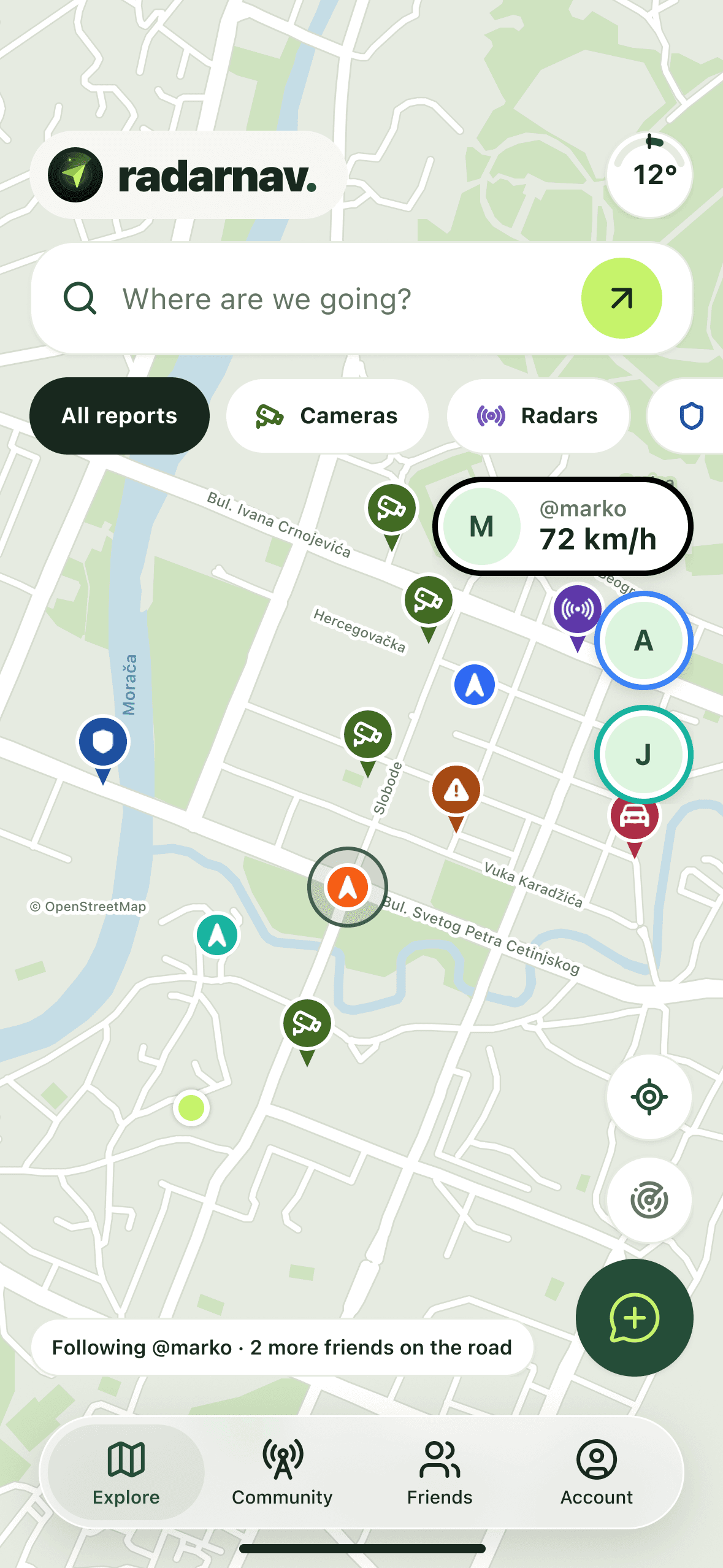
Add the people you drive with and watch them on the map while they are on the road: their position, their speed, and a colour you pick for each of them.
Add by username
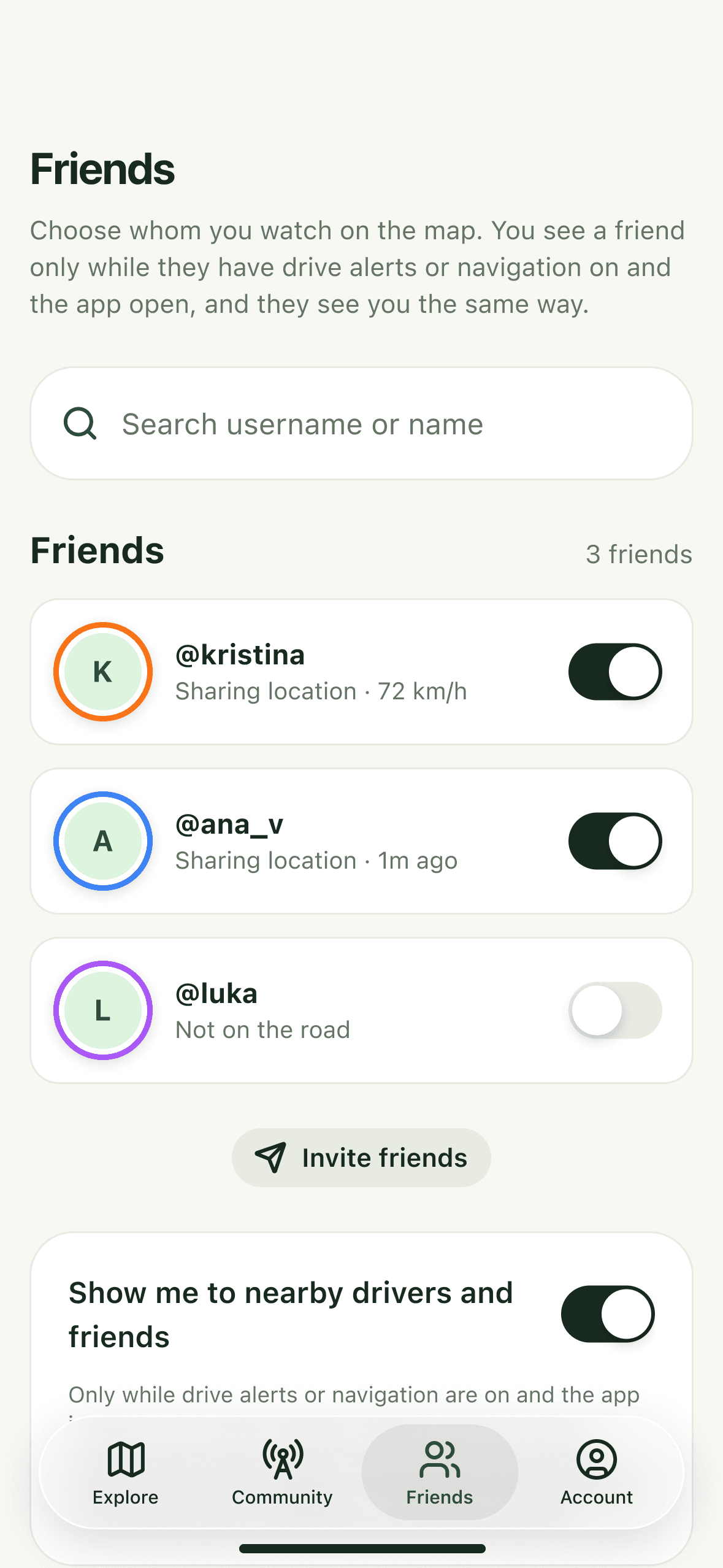
Search a username or name in the Friends tab and send a request; the other person has to accept, and gets a notification if they allow them.
Pick who you watch
In the Friends tab, switch on up to eight friends to show on the map and give each a colour.
Follow one on the road
Tap a friend and the map keeps them in view, with their speed beside the name, on the map and during navigation.
Anonymous to everyone else
Nearby drivers who are not your friends see the RadarNav logo with no name and no speed. Reports never carry a name, friends or not.
Only while you drive
A friend who has added you sees your username or first name, photo, position and current speed, and only while drive alerts or navigation are on, the app is open and “Show me to nearby drivers and friends” is on in Settings, parked or moving. Switch that off and you disappear for friends and strangers alike. Removing a friend is never announced to them.
Told before you get there.
Preview a route, then drive it. Whatever is waiting on that road reaches you before you reach it.
Voice guidance
Turn by turn, spoken out loud, so the next move never depends on looking down.
A card, then a beep
Cameras, radars and police on the route arrive as a card, with a proximity beep that quickens as you close in.
Speed beside the limit
Your current speed sits next to the posted limit wherever one is known: on a camera or radar alert, and on roads where Google has it.
Locked, and still running
Navigation carries on from the Lock Screen and, on iPhone, the Dynamic Island, so the phone can stay in its cradle.
On your car's screen.
RadarNav runs on Apple CarPlay and Android Auto, so the map and its warnings sit on the dashboard and the phone can stay in its cradle.
The same map, on the dashboard
It follows you with reports, fixed cameras, friends and nearby drivers, and the Drive alerts button turns on the same radar as on the phone.
Alerts you see and hear
A camera or report ahead shows on the car's screen and speaks through its speakers, with your Alert sound choices.
Report in one tap
Add a report opens a grid of report types, and one tap sends it, with nothing to confirm. Once you pass a report, the car asks “Still there?”.
Turn by turn in the car
With the navigation subscription, search for a destination from the car and follow the guidance there, including a trip started on the phone.
Free in the car, like on the phone
The map, alerts and reporting on CarPlay and Android Auto are free. Guidance in the car is the navigation subscription you already have, with nothing extra to buy. On Android Auto the map and alerts work even with the phone app closed; search and trips start once it is open.
Still there?
A report is only worth showing while it is true, so most last an hour or two. The drivers who pass can keep one up a little longer or end it early.
Someone spots it
A driver stops safely, picks a report type and pins the exact point on the map.
Everyone nearby sees it
The report joins the map and the community feed, and it shows up on routes that pass it.
The road keeps it honest
Drivers who pass answer “still there?”. Each “still there” keeps the report up for at least another hour.
An hour or two, three at most
Police, unmarked patrol car, mobile radar and drone reports expire two hours after they are published; accidents, hazards and traffic after one. Each “still there” from another driver keeps a report up for at least another hour from that vote, but never more than three hours after it was published. A speed camera is a fixed installation, so it never expires and stays until drivers vote it out. Five people in a row voting “not there” removes a report sooner, and a “still there” resets that streak. Reports relayed from public drivers' groups last just as long but are removed after two “not there” votes in a row.
Eight kinds of report.
Each has its own colour on the map, in the feed and on the route.
Fixed cameras are different
Those eight come from drivers. Fixed cameras come from a worldwide camera database and, in Montenegro, published government records, and they never expire on a timer. Drivers can vote a database camera out; a government location stays until we remove it. A published location is not a promise that a camera is switched on.
Police
Visible police activity near the road.
Unmarked patrol car
An unmarked police car checking speed on the highway.
Speed camera
A fixed speed camera on the road.
Mobile radar
A temporary mobile speed check.
Road hazard
An obstruction or other road hazard.
Accident
A crash on or beside the road.
Drone or helicopter
A police drone or helicopter watching the road.
Traffic
Slow traffic or a queue ahead.
The drivers around you.
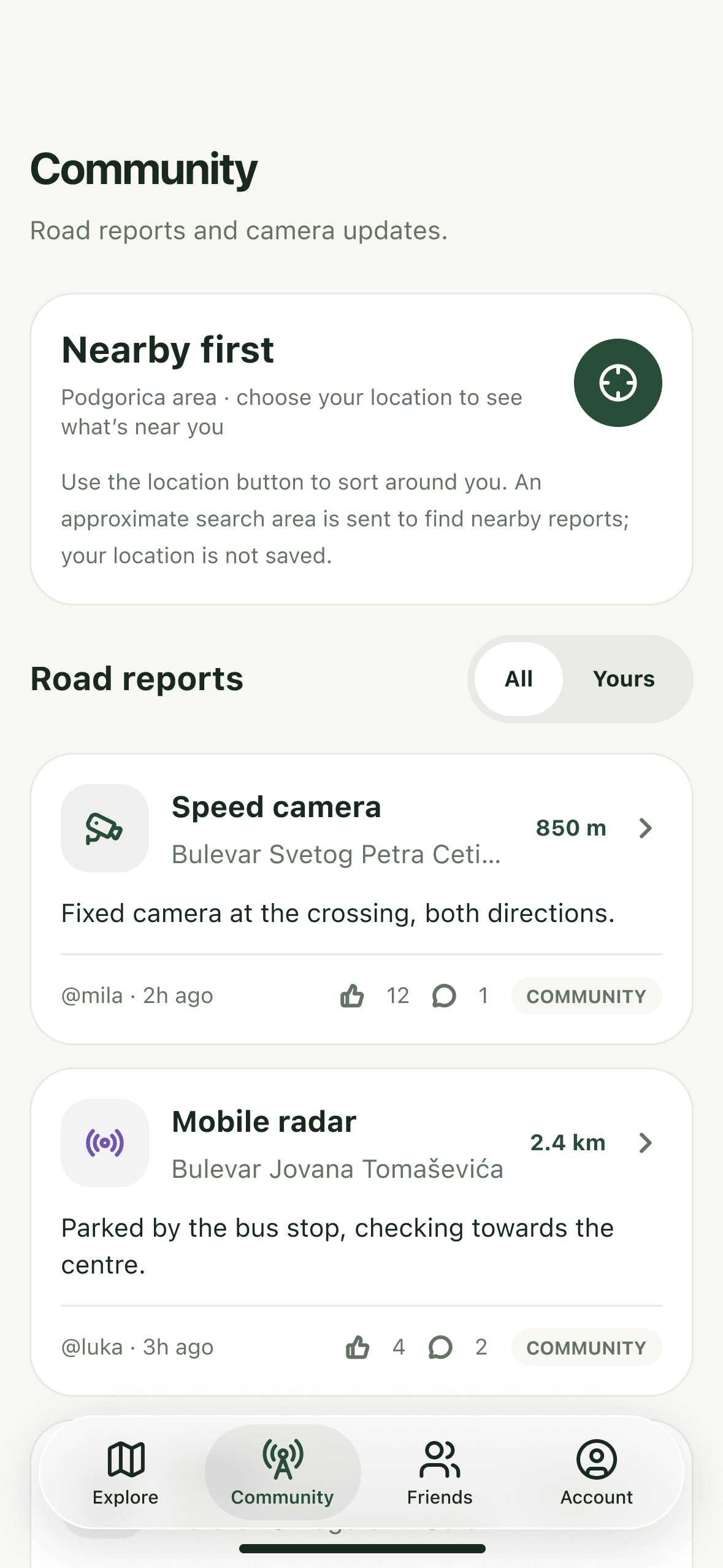
A feed of what is happening on the roads nearby, and a record of what you have added to it. Pick an emoji, and that is how other drivers see you on the map.
Nearby first
The feed opens on reports within 50 km of you, closest first. A button widens it 50 km at a time, up to 250 km.
Replies for context
Anyone with an account can reply to a report: which direction, which lane, whether it has already moved on.
Points for turning up
Road checks earn points, and a report earns ten more the moment another member confirms it.
Five levels
From New member to Community guide, as what you have contributed adds up, and each level unlocks more emoji for the map.
Your location stays yours.
The map is useful without the app following you around. Here is what happens to your location.
Asked for, never assumed
RadarNav asks for your location when you first open the map. Say no and the map, the feed and reporting from a point you choose still work.
No location history
Your location history is never saved. While you share your drive, only your latest position is kept on our servers, for under a minute.
You publish a point, not a trail
Publishing a report shares the point on the map. It starts at your position unless you move it, and nothing else about where you are is kept.
Visible only while you drive
Nearby drivers see only the RadarNav logo, near where you were about a minute ago, with no name and no speed.
Common questions.
What people ask before they install it.
Still not sure about something?
support@radarnav.meThe road, together.
The map, reports, drive alerts and friends are free, with no ads. Reporting takes two taps, and the next driver down that road gets the warning.